Making the API Calls
The following is a high-level overview. Click any step for more details.
-
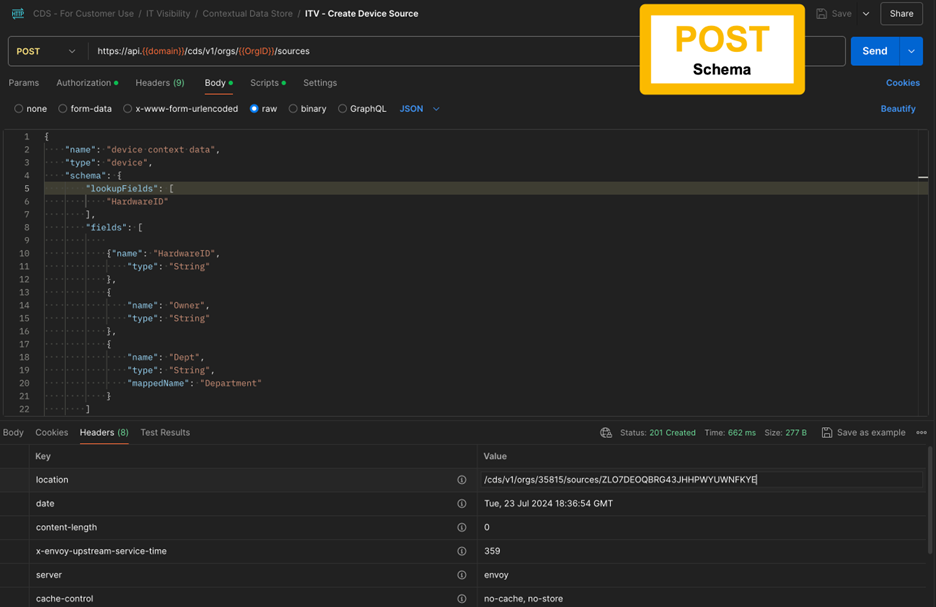
Step 1 (Call) create the schema and then (Response) collect the API Location response:
-
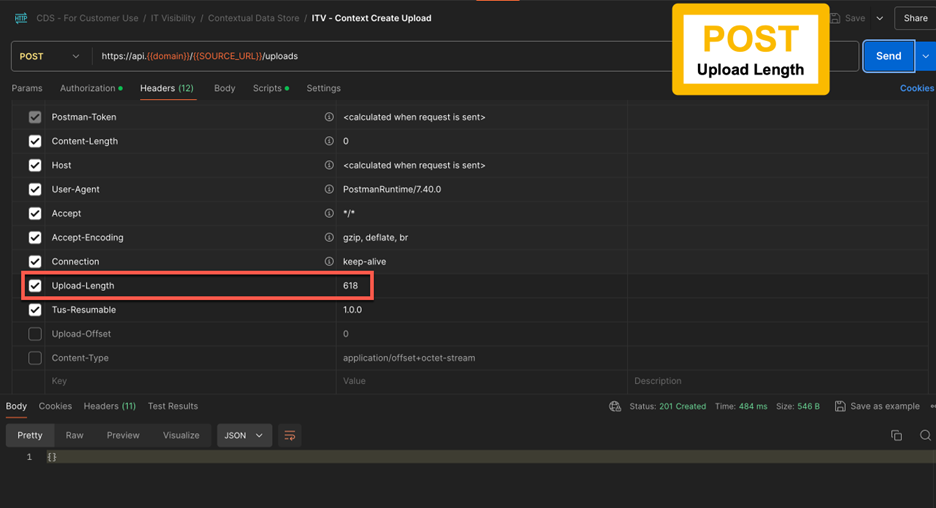
Step 2 (Call) upload the File Size and then (Response) collect the API Location response:
Step 1 (Call): Create the Schema
The schema will represent the headers of your CSV file upload and indicate the type of mashup you will be performing.
For example:
-
API call type—POST
Schema
{ "name": "Software_Mashup_Name", "type": "software", "schema": { "fields": [ { "name": "TechnopediaGUID", "type": "String"}, { "name": "Owner", "type": "String"}, { "name": "Priority", "type": "String" } ], "LookupFields": [ "TechnopediaGUID" ] }, }
Step 1 (Response): Collect API Location Response
Collect the Response Header" Location" and save the value as [Source URL] for the next step.
Step 2 (Call): Upload the File Size
When uploading to the Contextual Data Store, each new upload to a source should be staged before the upload. In the event that the data does not all get uploaded, a log of where data stopped uploading can be produced as part of an error report.
For example:
-
API call type—POST
-
URL—https://api.flexera.com/cds/v1/orgs/`[Org ID]
/sources/[Source URL]`/uploads -
Header-Upload-Length—
[length of the file in bytes] -
Header-Tus-Resumable—1.0.0
-
Header-Authorization-Bearer—
[User Access Token]
Step 2 (Response): Collect API Location Response
Collect the Response Header "Location" and save the value as [Upload URL] for the next step.
Step 3: Patch the File
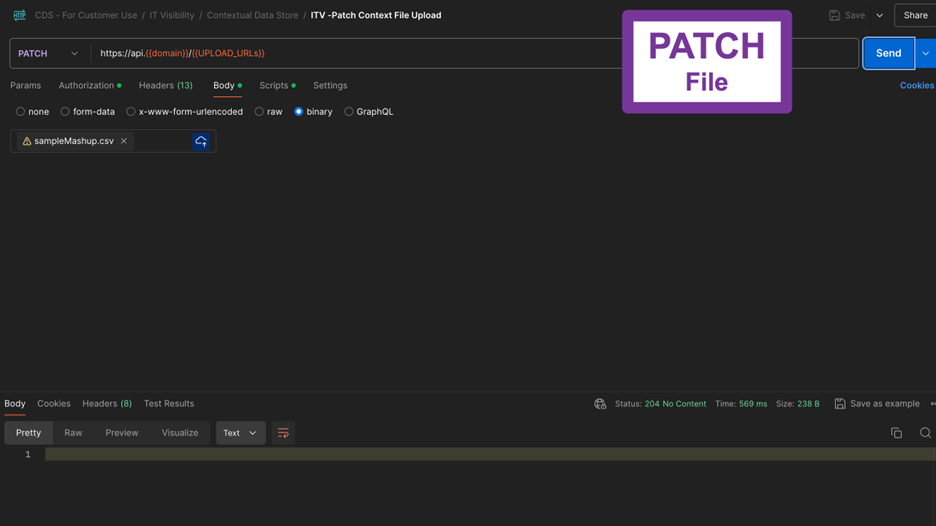
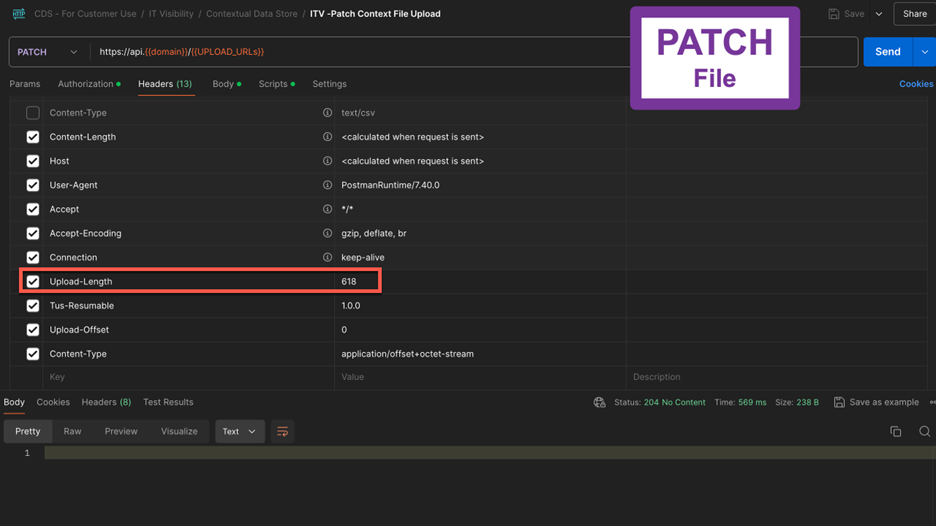
The contextual file will be uploaded using a PATCH call. The return of this call should be a 204 No Content, if successful.
-
API call type—PATCH
-
URL—https://api.flexera.com/cds/v1/orgs/`[Org ID]
/sources/[Source URL]/uploads /[Upload URL]` -
Header-Upload-Length—
[length of the file in bytes] -
Header-Tus-Resumable—1.0.0
-
Header-Authorization-Bearer—
[User Access Token]